SystemChart

Your PC.
In extraordinary detail.

Rich hardware and game history. Precision charts. A workspace you can shape with Pro. See your PC from every perspective.

  • Available direct for Windows
  • Windows 11
  • Core features free

Simulated here. The app charts your own PC.

CPU 23.0%▲ 0.3 GPU 15.0%▼ 12.9 MEM 57.5% PWR 213 W TEMP 58 °C
TAPE
Depth. Clarity. Control.

One PC. Every perspective.

From individual readings to the bigger picture. Explore the detail, understand the patterns and make the workspace your own.

Captured app interface in Pro’s Ember theme. Illustrative readings.Local by design

Hardware / Hardware overview

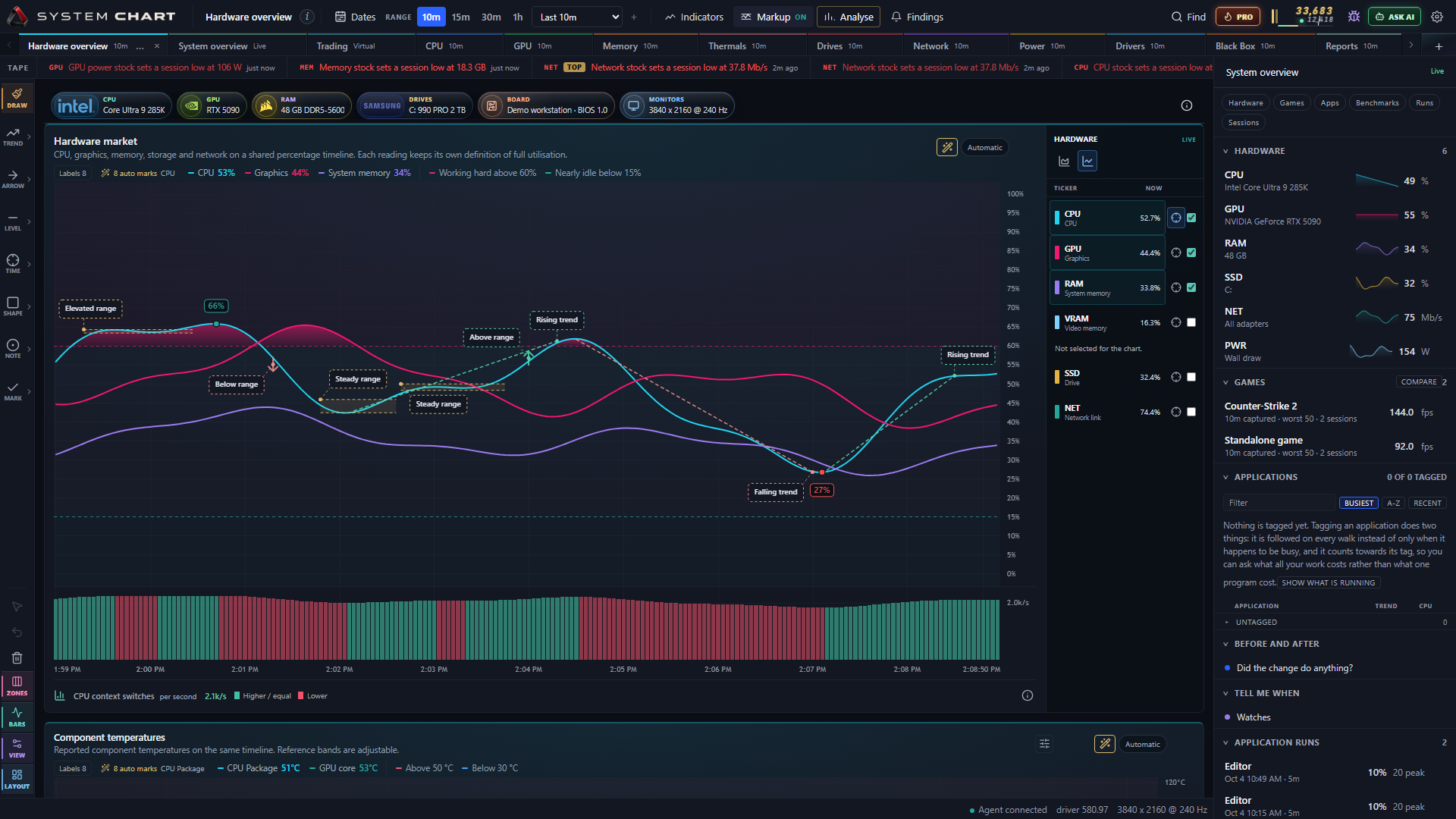
Every reading. In context.

Bring CPU, GPU and memory history onto one timeline. Move from the shape of a workload to the exact readings behind it.

Free
  • Explore hardware history on a shared timescale.
  • Inspect precise intervals and automatic annotations.
  • Keep your recorded performance history locally.

Explore readings from each supported sensor, with clear labels for gaps and unavailable data.

Read the guide
Performance

Engineered for the long run.

One-second recording while active, a lighter cadence while idle, and compressed local history with a storage budget you control.

Explore recording and storage ↗
Data richness

The detail behind the moment.

Bring hardware readings, application activity, frame times and system events into view. Follow a spike back to its recorded context.

Explore the data ↗
Visual craft

A better way to see it.

Lines, candles, distributions and resource maps reveal different sides of your PC. Inspect exact values inside a richly drawn interface.

Explore the charts ↗
Customization

Built around your perspective.

Go Pro for custom pages, layouts, studies and themes. Carry your chosen readings onto the desktop widget and in-game overlay.

Explore Pro ↗

Hardware overview

Free and Pro

Powerful from the start.
Exceptional with Pro.

Start with rich recording, precise charts and 60 days of history in Free. Pro adds advanced analysis, a workspace you can shape and the freedom to keep a longer record.

Pro is $19.99 once, with every future Pro update included. One activated PC at a time; move your license when you change computers.

Free

INCLUDED

See the detail. Keep the history.

Full-detail capture and a rich visual workspace for your hardware, applications and games. Revisit a moment and export the evidence you choose.

CPU, GPU and memory history together, with automatic chart annotations.
Hardware charts are Free. Pro authoring controls also shown.
  • Full-detail recording and 60 days of history
  • Hardware charts, app history and game sessions
  • Frame rate, lows, stutter and a customizable FPS counter
  • Automatic findings, chart markup and change history
  • Black Box incidents and driver inventory
  • CSV, JSON, chart images and incident report exports

For exampleA game stuttered last night. Open the recorded session and see what CPU, GPU and memory were doing at that moment.

Pro

OPTIONAL DLC · SOON

Make every insight your own.

Everything in Free, with advanced comparisons, AI-assisted exploration and extensive control over how your data looks, works and stays in view.

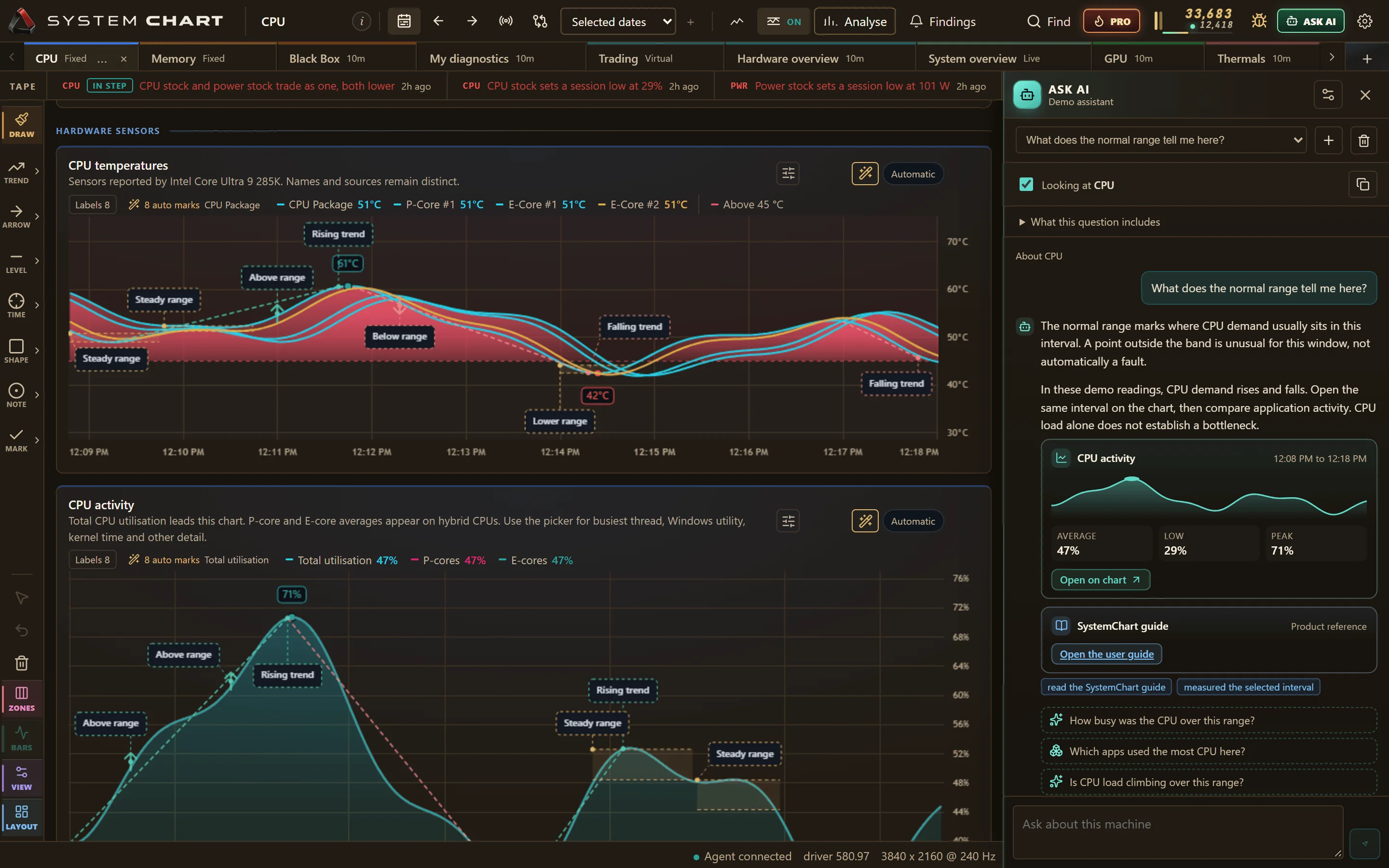
SystemChart AI chat beside CPU charts, with an answer and links back to captured evidence.
Ask about the page you're on. Follow the evidence back to its chart.
  • Longer history, within your storage budget
  • AI chat and MCP tools with a model you choose
  • Custom pages, layouts and watch rules
  • Session ranks, studies, drawings and benchmarks
  • SQL authoring and virtual Trading
  • Scheduled reports, desktop widget and extra themes

For exampleAsk, “Which apps used the most CPU in this range?” Explore the answer with your chosen model and open the readings behind it.

Captured app interfaces with illustrative readings. Select a screenshot to explore it at full size.

Put Pro to work

Turn a rich record into a sharper understanding.

Compare & investigate

Measure the difference.

Compare recorded runs before and after a driver or settings change. Repeated-run experiments help distinguish a meaningful improvement from normal variation.

See game sessions in the tour
Watch & review

See the patterns that matter.

Create watches for sustained changes and schedule weekly or monthly health reports. Review activity, stability and trends in polished HTML reports you can keep or share.

See scheduled reports in the tour
Make it yours

Your readings. Your workspace.

Keep selected sensors on your desktop, add machine readings to the FPS overlay, and arrange custom pages, charts and themes around the way you work.

See the desktop widget in the tour
Compare Free and Pro in detailRecording, analysis, customization and more
SystemChart Free features and the additions in Pro
What you can doFreePro adds
Record your PCAll supported sensors and frame capture, at full detailThe same capture quality
Keep your history60 days of full-detail readingsLonger retention, up to no time limit within your storage budget
Understand eventsFindings, automatic markup, change history and Black Box incident reportsAI discussion of captured evidence
Analyse game sessionsFrame rate, lows, worst frames, stutter and session historySession ranks, before-and-after comparisons and repeated-run experiments
Build your workspaceBuilt-in hardware, app and game pagesCustom pages, saved layouts, tab ordering, indicators and drawing tools
Ask your own questionsInspect captured evidence and read saved SQLAI chat, MCP tools and read-only SQL query authoring and execution
Watch & reportRead existing watch hits and saved reportsCreate and edit watch rules; generate weekly and monthly reports
See readings at a glanceFPS counter with size and corner controlsDesktop widget, ranked overlay, effects and extra machine readings
Choose your lookTerminal theme and every app icon finishEight colour themes, including Brownie and Forest
Explore driversLocal inventory, version history and vendor linksOn-demand Windows Update driver search; no driver installation
Try virtual TradingPreview and read or export existing account historyActivate and trade the simulation. Virtual money only.
Export & stay in controlCSV, JSON, single images, incident reports and privacy controlsScheduled HTML reports. Your existing exports stay Free.

Your data. Your continuity.

Upgrade without reinstalling. If Pro access ends, your captured readings and saved work remain; Pro-created pages and reports stay readable. History continues to follow your storage and retention settings.

AI uses your chosen local model or API provider; provider charges may apply. Hosted models receive your questions, conversation and requested evidence. Review AI answers against the linked readings.

Download Free

SystemChart screenshot

Available direct for Windows.

A richer view of the PC you know. Download Free, then unlock lifetime Pro whenever you’re ready.

Go on, click the mark. Keep clicking.